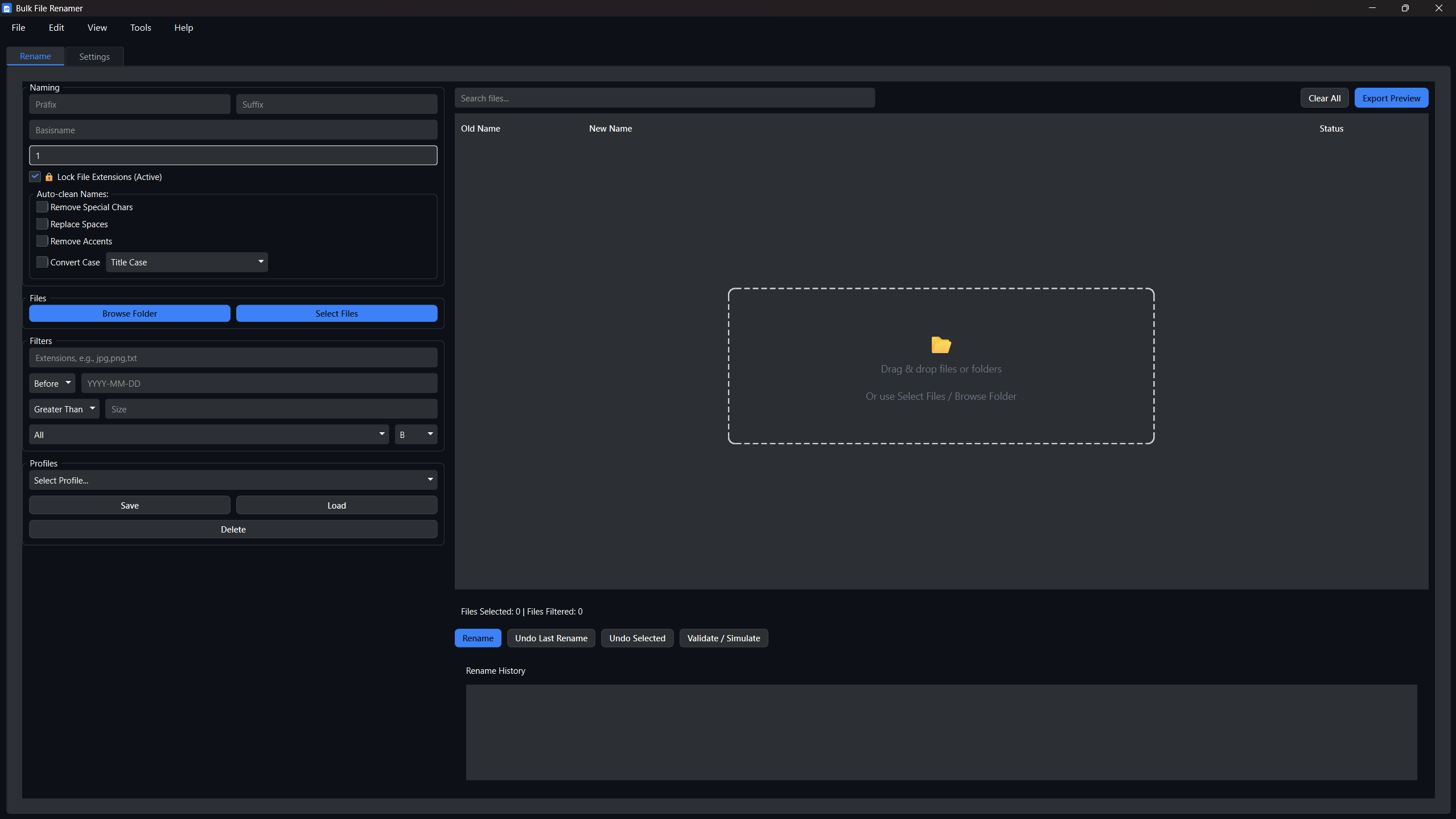
Bulk file renamer
A downloadable application for Windows
Bulk File Renamer - Professional File Organization Tool
Transform your digital chaos into organized perfection in seconds!
🎯 What is Bulk File Renamer?
Bulk File Renamer is a powerful desktop application that helps you organize thousands of files in seconds. Whether you're a photographer managing thousands of photos, a content creator organizing media files, or a business professional dealing with document chaos, this tool transforms your file management workflow.Perfect for: Photographers, content creators, business professionals, developers, musicians, and anyone dealing with file management chaos.
✨ Key Features
🚀 Lightning-Fast & Safe
- Process thousands of files in seconds
- Live preview - see changes before applying
- Undo system - reverse any operation
- Automatic backups - optional safety feature
🎨 Flexible Naming
- Prefix/Suffix - add text before/after filenames
- Sequential numbering - automatic numbering with custom start values
- Base name replacement - consistent naming patterns
- Extension lock - preserve file types
🧹 Smart Auto-Clean
- Remove special characters for compatibility
- Replace spaces with underscores/hyphens
- Convert case (lowercase, uppercase, title case)
- Remove accents for international compatibility
🔍 Advanced Filtering
- File type - process only specific extensions (jpg, png, pdf, etc.)
- File size - filter by size (larger than 1MB, etc.)
- Date range - process files before/after specific dates
- Combined filters - use multiple filters together
💼 Real-World Examples
Photo Organization:
Before: IMG_001.jpg, IMG:002.jpg, IMG_003.jpg
After: Vacation_2025_001.jpg, Vacation_2025_002.jpg, Vacation_2025_003.jpg
Document Management:
Before: invoice_jan.pdf, invoice_feb.pdf, invoice_mar.pdf
After: Invoice_2025_001.pdf, Invoice_2025_002.pdf, Invoice_2025_003.pdf
Music Library Cleanup:
Before: "My Song (Remix)!.mp3", "Another Song - Final Version.mp3" After: "My_Song_Remix.mp3", "Another_Song_Final_Version.mp3"
🛡️ Safety First
- Live Preview: See exactly what will happen before making changes
- Undo System: Reverse any operation, even after closing the app
- Automatic Backups: Optional backup creation before any changes
- Validation System: Check for conflicts and issues before applying
📋 System Requirements
- Windows: Windows 10+ (64-bit)
- macOS: macOS 10.15+
- Linux: Most modern distributions
- RAM: 4GB minimum, 8GB recommended
- Storage: 150MB for application installation
Purchase
In order to download this application you must purchase it at or above the minimum price of $6.99 USD. You will get access to the following files: